
If you are one of those who has fought hundreds of times with the :hover of HTML links when applying styles, you will probably be interested to know that Chrome’s web inspector (in Safari I have not found a way) has a feature that allows you to edit these styles in a very simple way.
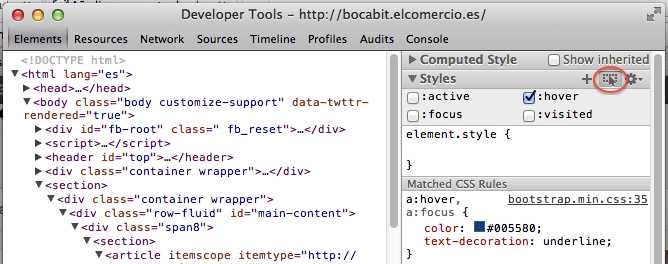
Simply click on the button where a cursor appears at the top right of the inspector (“Toggle element state”). Once clicked, a series of options will be displayed to choose the state of the element: hover, focus, visited or active.
With this little trick we can establish the styles much more easily when we mouse over an HTML element.
Comments are provided by Disqus. When you load them, Disqus may use cookies and process data such as your IP address.
Disqus privacy policy